

Choosing the right student laptop in Malaysia is a crucial, yet difficult, task. With a budget of RM 4,500, finding a device that fits your course needs in a crowded market can be overwhelming.
This guide simplifies the process, offering clear recommendations for students in any field—from business to design—and provides a clear strategy for securing the best price through local sales and discounts.
Malaysian Student Laptop Comparison (Under RM 4,500)
Laptop Model | Indicative Price (RM) | Best For | Key Specs (CPU/RAM/SSD/GPU) |
Acer Aspire Lite 14 | 1,800 – 2,200 | General Use, Business | i3-N305 / 8GB / 512GB / Integrated |
ASUS VivoBook Go 15 (OLED) | 2,100 – 2,500 | Media, General Use | Ryzen 3 / 8GB / 512GB / Integrated |
Lenovo IdeaPad Slim 3 | 2,200 – 2,800 | General Use, Typing | Ryzen 5 / 16GB / 512GB / Integrated |
Microsoft Surface Laptop Go 3 | 2,900 – 3,500 | Portability, Style | i5-1235U / 8GB / 256GB / Integrated |
Apple MacBook Air M1 | 2,999 – 3,500 (reseller) | All-Rounder, Portability | M1 / 8GB / 256GB / Integrated |
Acer Aspire 7 | 3,200 – 4,200 | Engineering, IT, Gaming | i5-12450H / 16GB / 512GB / RTX 2050 |
Dell Inspiron 14 Plus | 3,400 – 4,200 | Engineering, IT | i7-12700H / 16GB / 512GB / RTX 3050 |
HP OmniBook 5 (16″) | 3,400 – 4,200 | Design, Productivity | Core Ultra 5 / 16GB / 512GB / Integrated |
Acer Swift Go 14 (OLED) | 3,999 – 4,500 (on sale) | Design, Media | Core Ultra 7 / 16GB / 1TB / Intel Arc |
Lenovo IdeaPad Duet 5i | 4,000 – 4,500 | Note-Taking, Portability | i5-1235U / 16GB / 512GB / Integrated |
1. Acer Aspire Lite 14
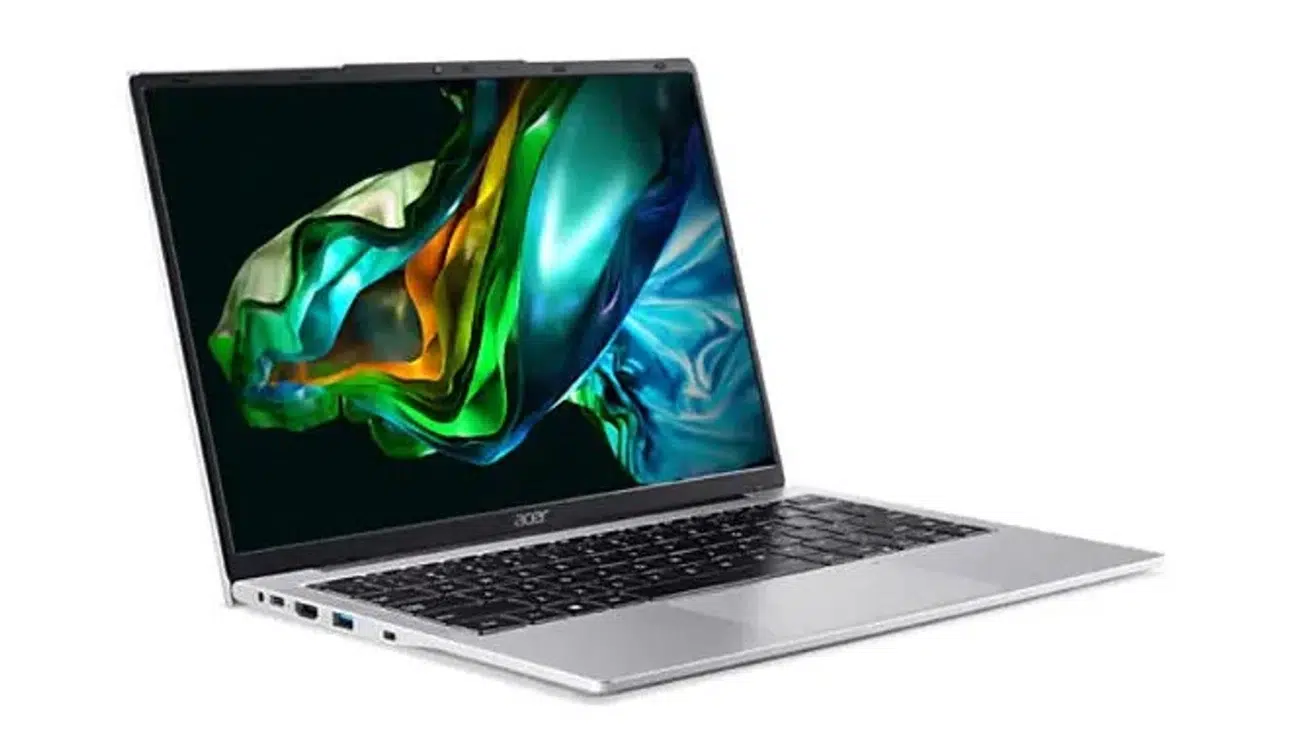
A top-tier budget option offering exceptional value for money and modern specifications.
Specifications
- CPU: Intel Core i3-N305 | GPU: Intel UHD Graphics
- RAM: 8GB DDR5 | Storage: 512GB SSD
- Display: 14-inch, 1920×1200 IPS | Size: 323 x 217 x 18.9 mm | Weight: 1.35 kg
Ideal For: Business, Accounting, and General Studies students needing a reliable machine for everyday tasks.
Reasons to Buy:
- Exceptional value for money.
- Modern specs, including fast DDR5 RAM.
- Taller 16:10 aspect ratio display is great for reading and browsing.
Reasons to Avoid:
- Lacks a backlit keyboard.
- 8GB of RAM can feel sluggish with heavy multitasking.
Price: RM 1,800 – RM 2,700
2. ASUS VivoBook Go 15 (OLED Model)
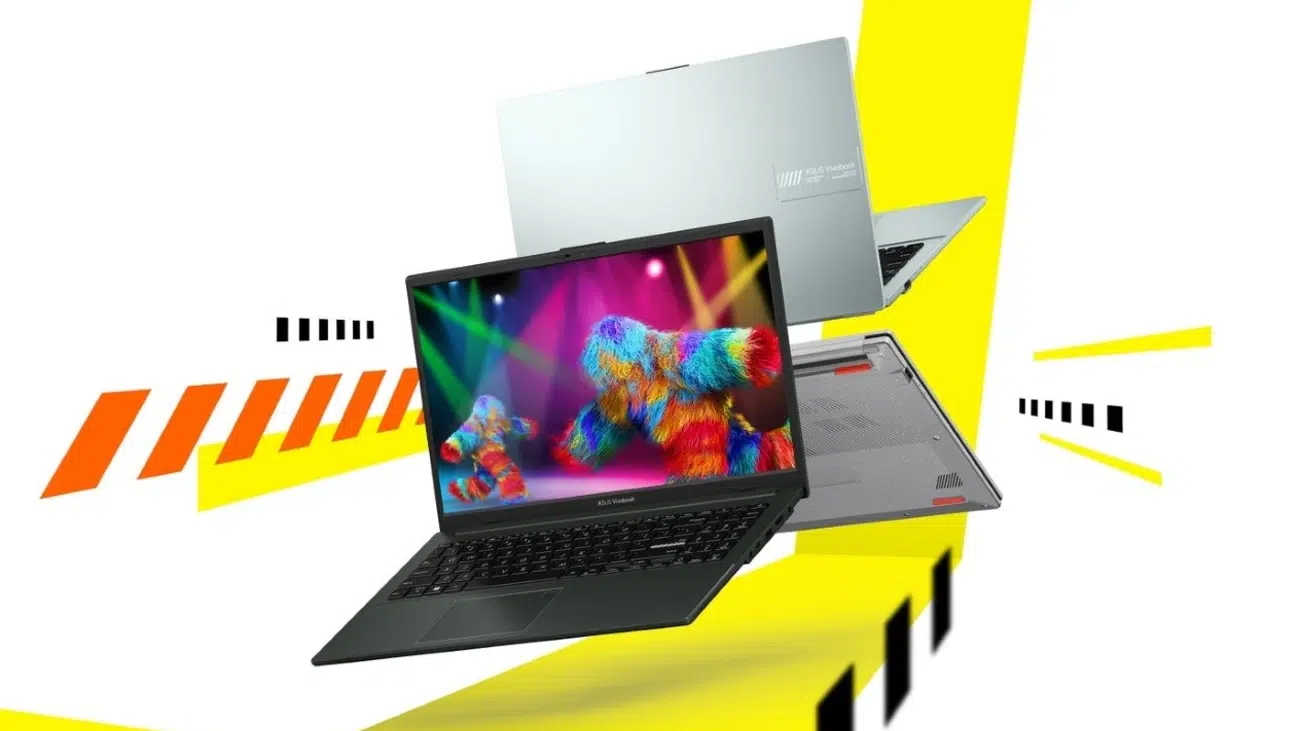
A media powerhouse for students, boasting a stunning OLED screen at an unbeatable price.
Specifications
- CPU: AMD Ryzen 3 7320U | GPU: AMD Radeon Graphics
- RAM: 8GB LPDDR5 | Storage: 512GB SSD
- Display: 15.6-inch, 1920×1080 OLED | Size: 360 x 232 x 17.9 mm | Weight: 1.63 kg
Ideal For: Students who also value a superior screen for watching movies and entertainment.
Reasons to Buy:
- Stunning OLED screen is rare at this price.
- Excellent battery life, often lasting over 10 hours.
- Includes a lifetime license for Microsoft Office Home & Student.
Reasons to Avoid:
- Base models use a poor-quality TN panel that must be avoided.
- RAM is soldered and cannot be upgraded later.
Price: RM 2,100 – RM 2,500
3. Lenovo IdeaPad Slim 3 Gen 8
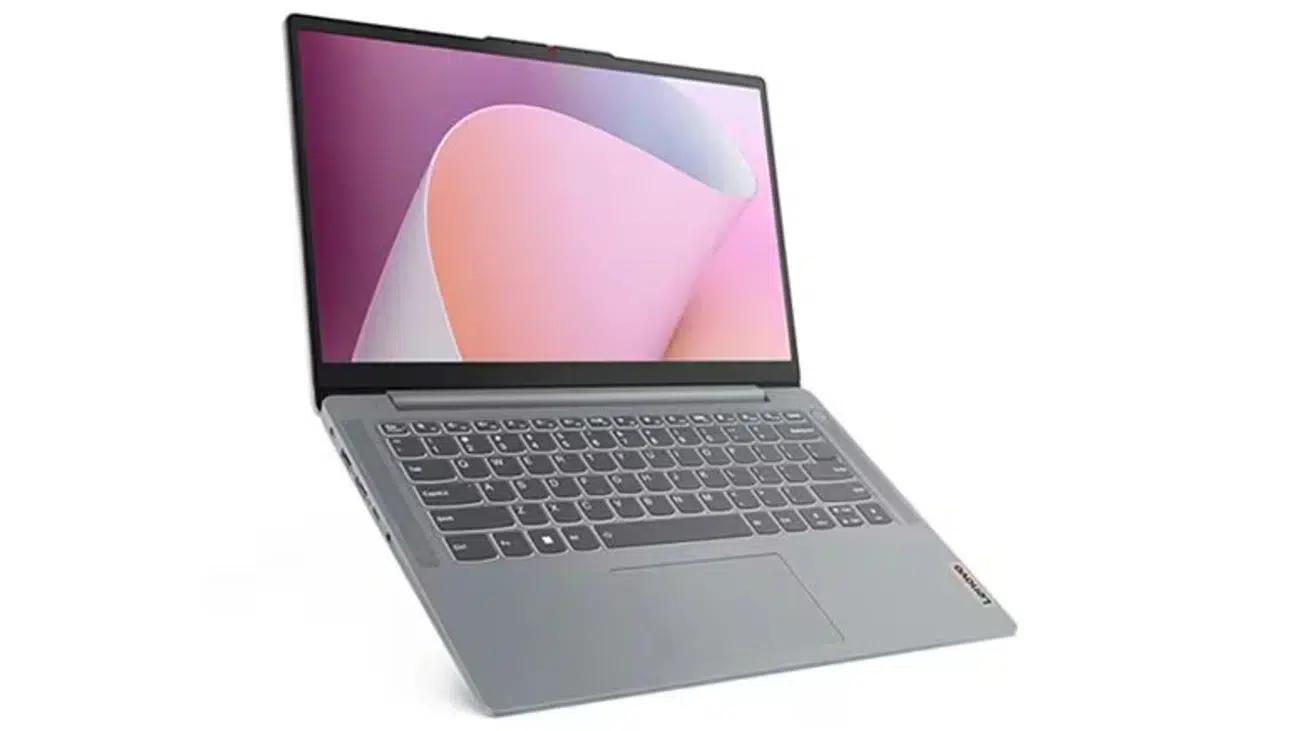
A well-rounded machine distinguished by a best-in-class keyboard for those who type extensively.
Specifications
- CPU: AMD Ryzen 5 7530U | GPU: AMD Radeon Graphics
- RAM: 16GB DDR4 | Storage: 512GB SSD
- Display: 15.6-inch, 1920×1080 IPS | Size: 359 x 236 x 17.9 mm | Weight: 1.62 kg
Ideal For: Students in humanities, business, or any field that involves extensive writing.
Reasons to Buy:
- The best-in-class keyboard provides an excellent typing experience.
- Durable, military-grade build quality.
- Versatile full-function USB-C port for charging and data.
Reasons to Avoid:
- Display has poor colour reproduction, making it look dull.
- Real-world battery life can be inconsistent.
Price: RM 2,200 – RM 2,800
4. Microsoft Surface Laptop Go 3
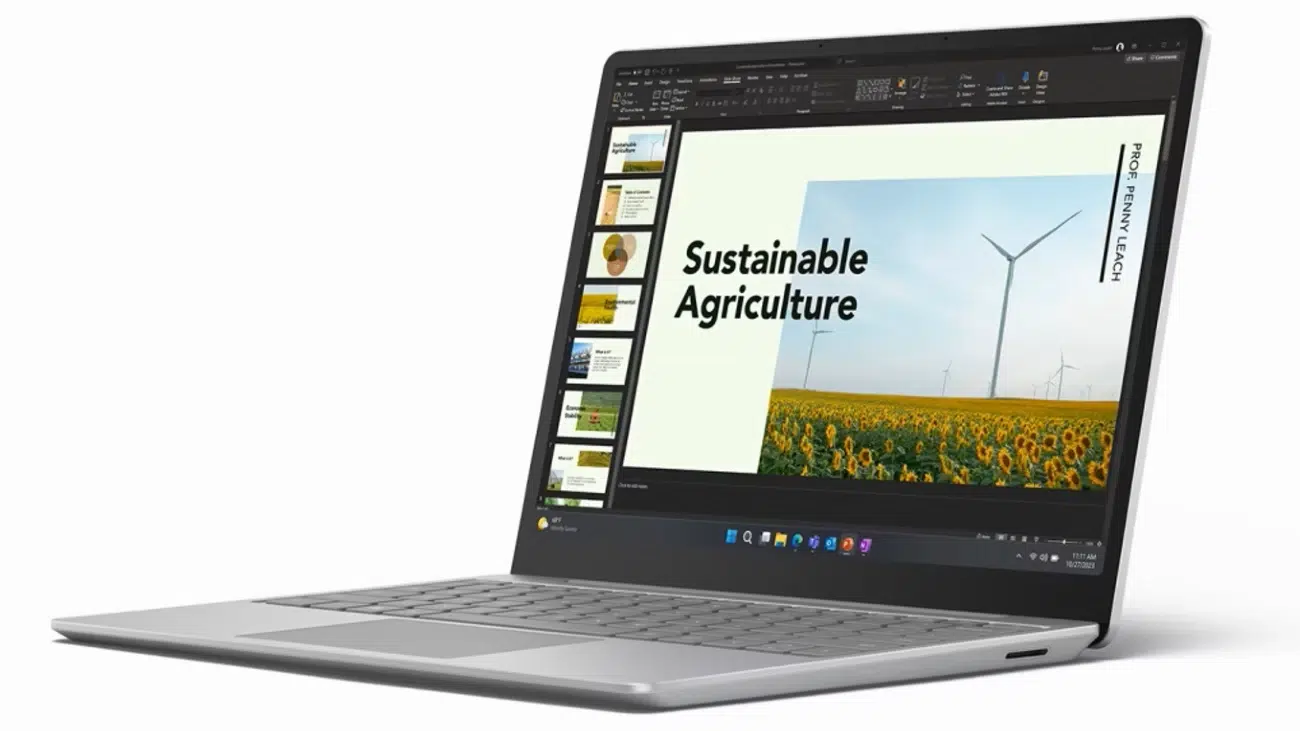
A premium, ultra-portable laptop that balances style, performance, and an excellent touch-screen experience.
Specifications
- CPU: Intel Core i5-1235U | GPU: Intel Iris Xe Graphics
- RAM: 8GB LPDDR5 | Storage: 256GB SSD
- Display: 12.4-inch, 1536×1024 PixelSense Touch | Size: 278 x 206 x 15.7 mm | Weight: 1.13 kg
Ideal For: Students who need a lightweight, stylish device for classes and travel.
Reasons to Buy:
- Incredibly light and portable premium design.
- Vibrant, high-quality touchscreen display.
- Excellent keyboard and large trackpad.
Reasons to Avoid:
- Base model has only 8GB RAM and 256GB storage.
- Fewer ports than most competitors.
Price: RM 2,900 – RM 3,500
5. Apple MacBook Air M1 (2020)
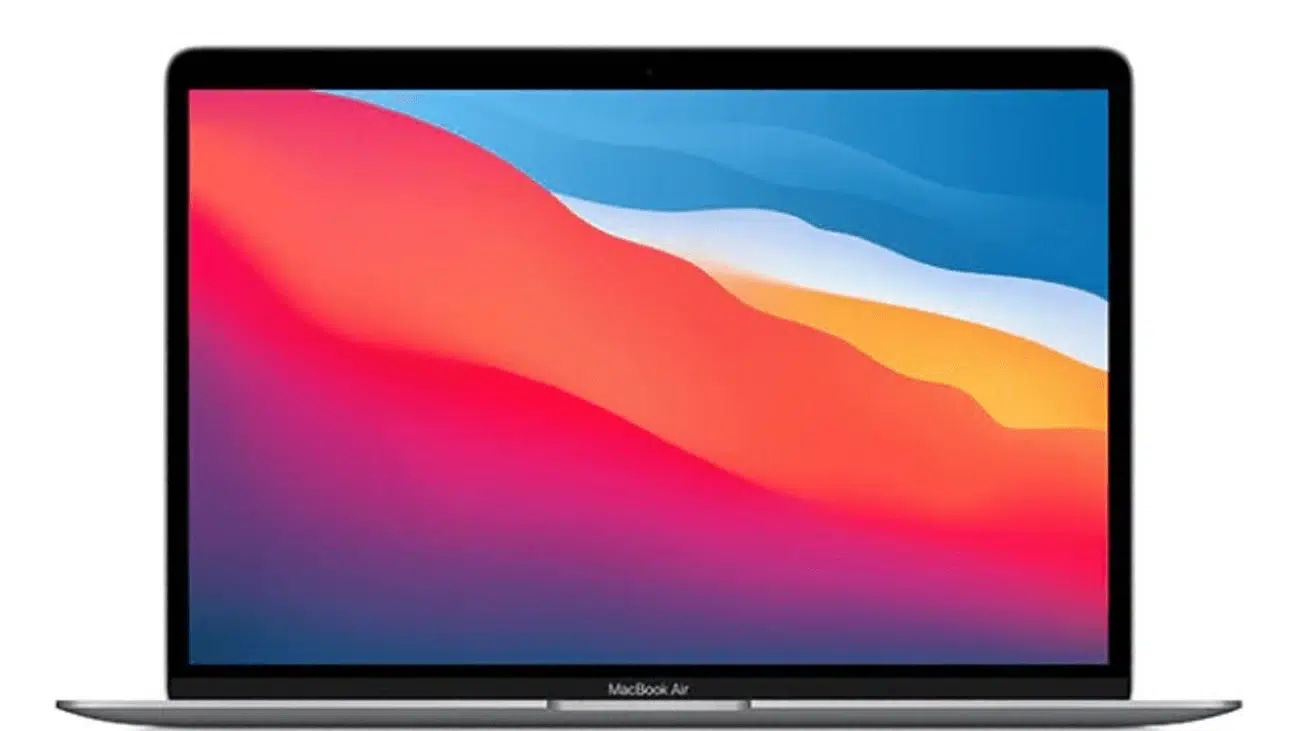
The undisputed champion of battery life, offering a premium user experience that remains highly competitive.
Specifications
- CPU: Apple M1 | GPU: Integrated 7-core GPU
- RAM: 8GB Unified Memory | Storage: 256GB SSD
- Display: 13.3-inch, 2560×1600 Retina | Size: 304 x 212 x 16.1 mm | Weight: 1.29 kg
Ideal For: Students in any field who prioritise portability, exceptional battery life, and a premium user experience.
Reasons to Buy:
- Phenomenal battery life, lasting up to 18 hours.
- Premium and durable aluminium build quality.
- Silent, fanless design with a best-in-class keyboard and trackpad.
Reasons to Avoid:
- Base model specs (8GB RAM, 256GB SSD) are not upgradeable.
- Limited port selection.
Price: RM 2,999 – RM 3,500 (from authorised resellers)
6. Acer Aspire 7 (A715-76G)
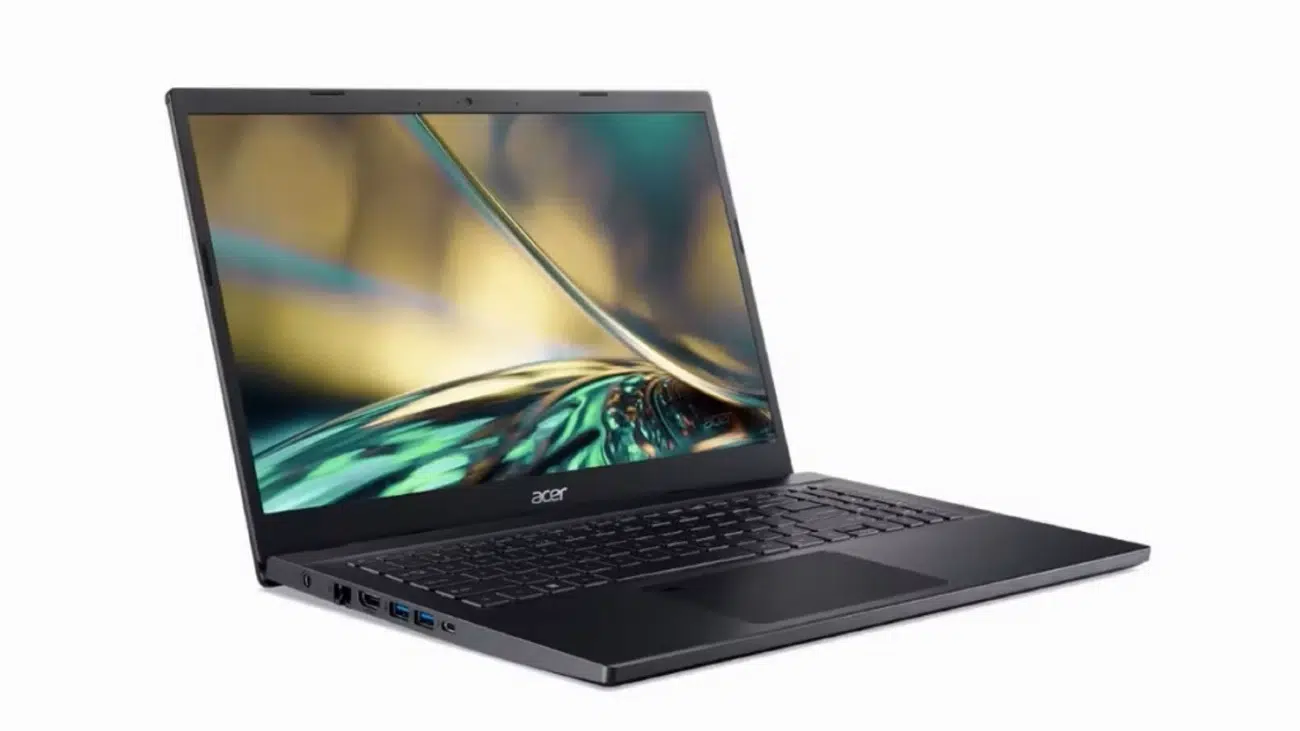
A computational powerhouse that delivers the performance of a gaming laptop for academic needs.
Specifications
- CPU: Intel Core i5-12450H | GPU: NVIDIA GeForce RTX 2050
- RAM: 16GB DDR4 | Storage: 512GB SSD
- Display: 15.6-inch, 1920×1080 IPS | Size: 362 x 237 x 19.9 mm | Weight: 2.1 kg
Ideal For: Engineering, IT, and Software Development students who need strong CPU and GPU performance.
Reasons to Buy:
- Powerful performance for demanding software and casual gaming.
- RAM and storage are user-upgradeable for future-proofing.
- Cost-effective way to get a dedicated graphics card.
Reasons to Avoid:
- The display is dim, with very poor colour accuracy.
- Weak battery life requires you to carry the charger.
Price: RM 3,200 – RM 4,200
7. Dell Inspiron 14 Plus
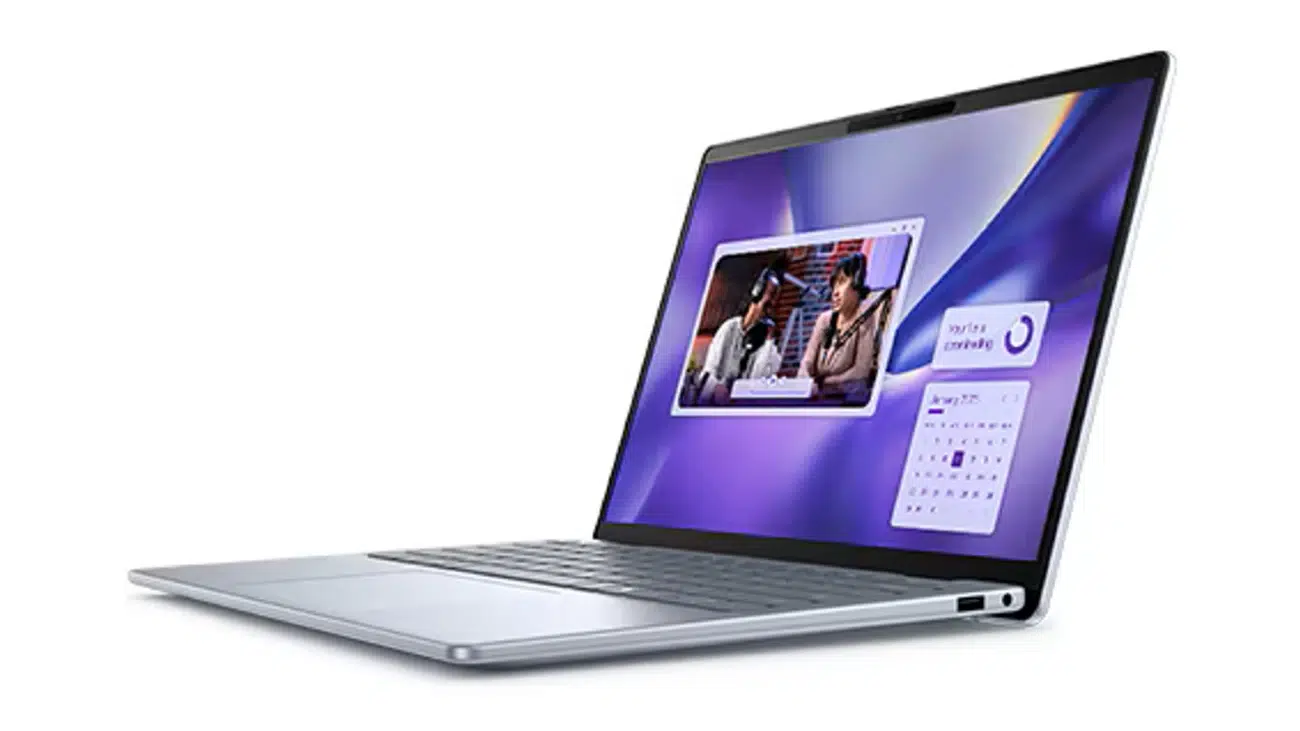
A compact powerhouse that packs a high-performance H-series processor and dedicated graphics into a portable 14-inch chassis.
Specifications
- CPU: Intel Core i7-12700H | GPU: NVIDIA GeForce RTX 3050
- RAM: 16GB DDR5 | Storage: 512GB SSD
- Display: 14-inch, 2240×1400 IPS | Size: 314 x 227 x 16 mm | Weight: 1.66 kg
Ideal For: Engineering, IT, or creative students needing high performance in a portable form factor.
Reasons to Buy:
- Incredibly powerful for its size.
- High-resolution 16:10 display is sharp and bright.
- Excellent port selection, including Thunderbolt 4.
Reasons to Avoid:
- Can get hot and loud under heavy load.
- Battery life is average at best.
Price: RM 3,400 – RM 4,200
8. HP OmniBook 5 (16″)
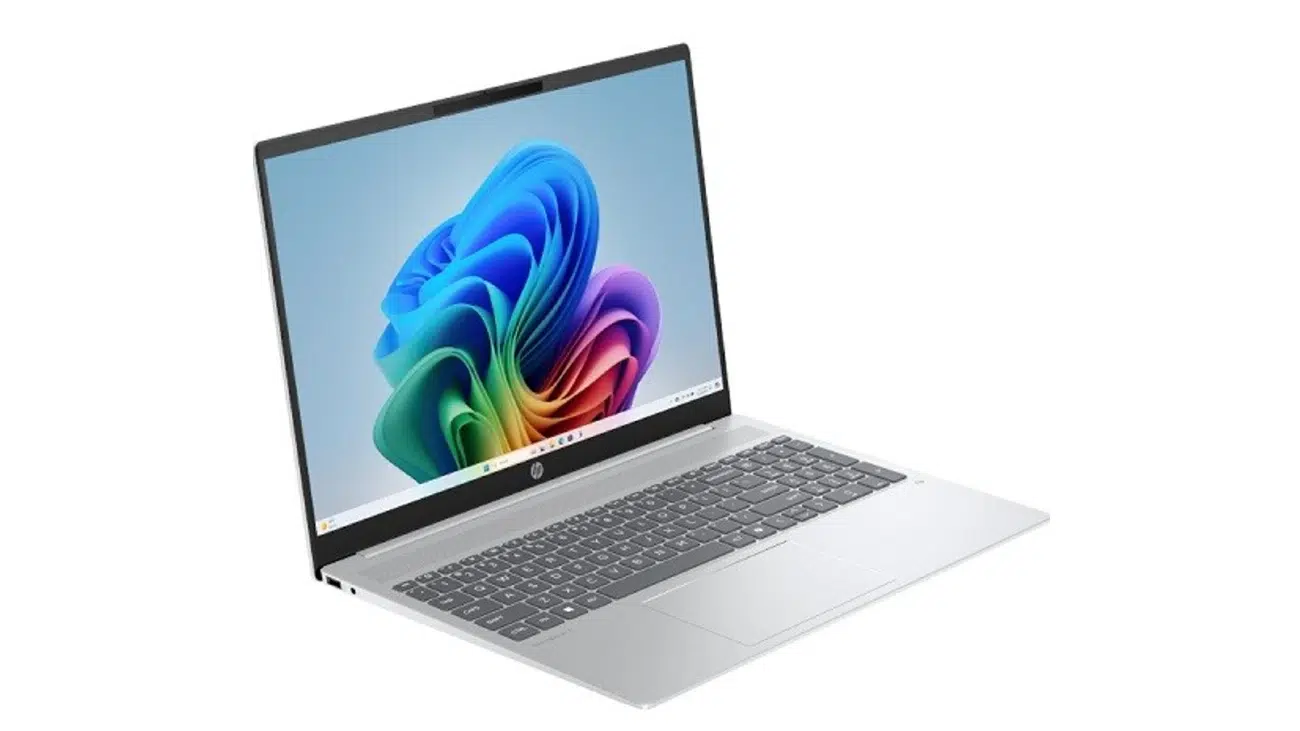
A productivity workhorse designed for multitasking, featuring a large, high-resolution screen and excellent battery life.
Specifications
- CPU: Intel Core Ultra 5 125U | GPU: Intel Graphics
- RAM: 16GB LPDDR5x | Storage: 512GB SSD
- Display: 16-inch, 2048×1280 IPS | Size: 357 x 254 x 18.9 mm | Weight: 1.8 kg
Ideal For: Students in design, business, or anyone who needs significant screen real estate for multitasking.
Reasons to Buy:
- Large, sharp, and bright 2K display.
- Modern, power-efficient Core Ultra processor.
- Good battery life for a large-screen laptop.
Reasons to Avoid:
- Integrated graphics may not be sufficient for heavy 3D work.
- Larger size makes it less portable than 14-inch models.
Price: RM 3,400 – RM 4,200
9. Acer Swift Go 14 (OLED model)
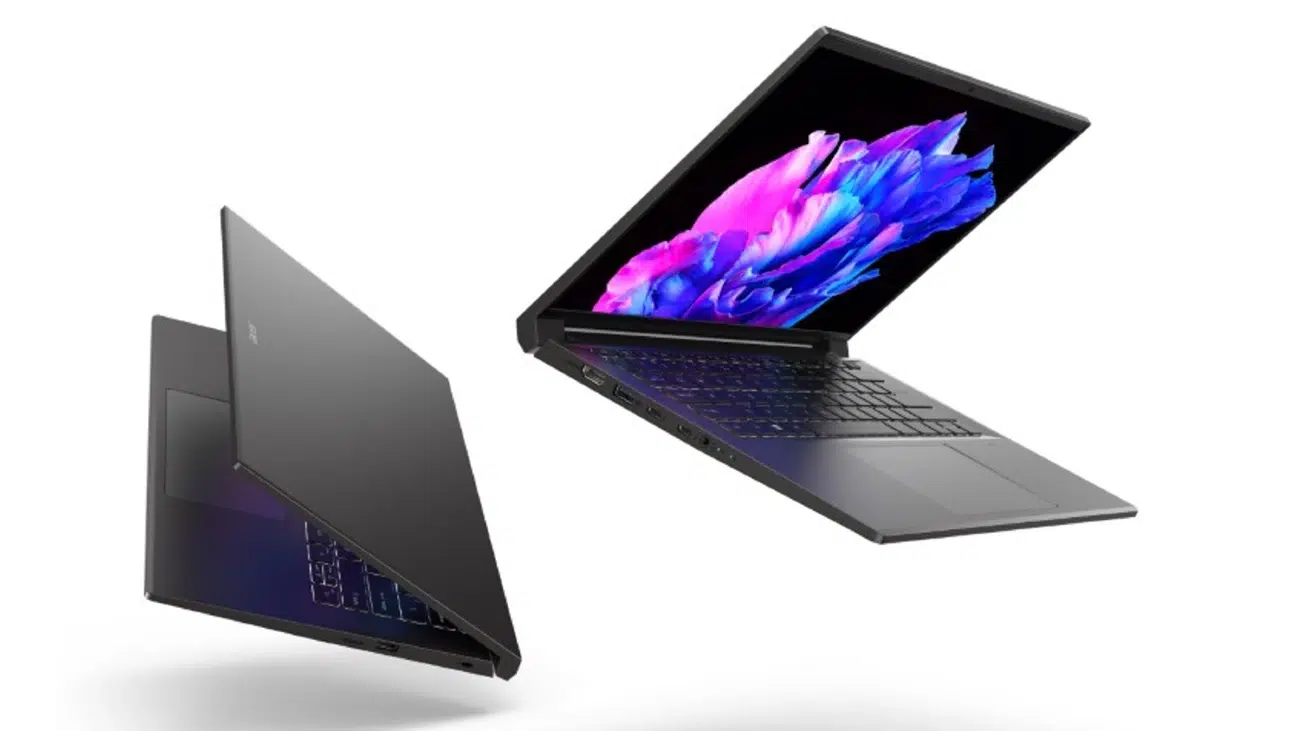
The perfect canvas for creative students, featuring a professional-grade display without the premium price.
Specifications
- CPU: Intel Core Ultra 7 155H | GPU: Intel Arc Graphics
- RAM: 16GB LPDDR5x | Storage: 1TB SSD
- Display: 14-inch, 2880×1800 OLED | Size: 313 x 218 x 14.9 mm | Weight: 1.32 kg
Ideal For: Design, Architecture, and Media students who require exceptional display quality.
Reasons to Buy:
- Professional-grade OLED display is vibrant and colour-accurate.
- Powerful, modern specifications in a thin and light package.
- Excellent value when purchased during a sale.
Reasons to Avoid:
- Regular price often exceeds the RM 4,500 budget.
Price: RM 3,999 – RM 4,500 (often requires a sale)
10. Lenovo IdeaPad Duet 5i
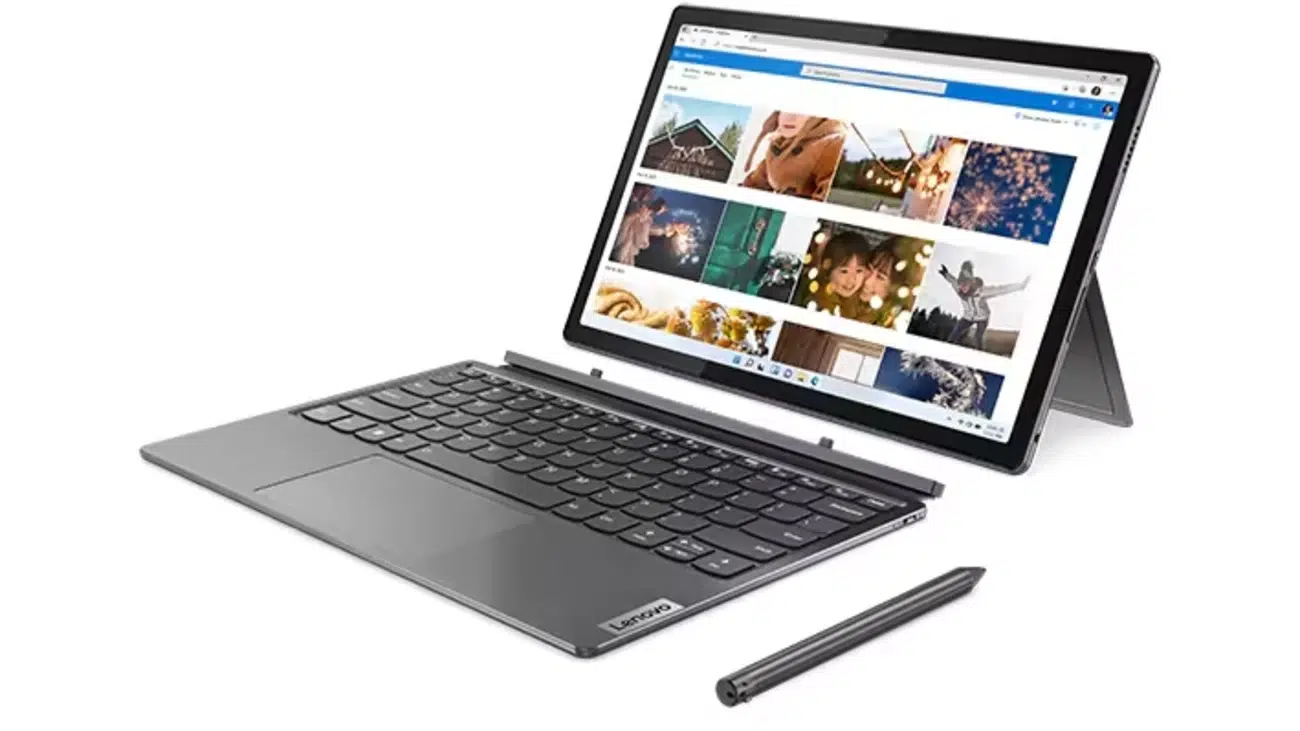
The ultimate 2-in-1 for students who value versatility, combining a powerful tablet and a full laptop experience.
Specifications
- CPU: Intel Core i5-1235U | GPU: Intel Iris Xe Graphics
- RAM: 16GB LPDDR4x | Storage: 512GB SSD
- Display: 12.4-inch, 2560×1600 Touch | Size: 288 x 190 x 9.45 mm | Weight: 1.17 kg
Ideal For: Students who do a lot of note-taking, reading, and want a single device for study and entertainment.
Reasons to Buy:
- Excellent versatility as both a tablet and laptop.
- High-resolution touchscreen display with pen support.
- Keyboard and stylus are included in the price.
Reasons to Avoid:
- The kickstand design can be awkward to use on your lap.
- Performance is good, but not for heavy-duty tasks.
Price: RM 4,000 – RM 4,500
Securing the Best Price for Your Student Laptop
Choosing the right model is just the first step. To truly maximise your RM 4,500 budget, strategic timing is essential.
A patient student can often get a higher-tier laptop by aligning their purchase with major annual sales events in Malaysia.
Pro Tip: The brands that communicate their value most clearly are often the ones to watch during sales season. As the leading PR agency in Malaysia, we advise consumers to look beyond the hype and focus on brands that consistently deliver on their promises—a sign of a smart, long-term investment.
Key sales events to mark on your calendar include the 9.9 Sale, the massive 11.11 Singles’ Day Sale, and the Black Friday & Cyber Monday sales.
Additionally, look out for “Back to School” campaigns run by brands like Dell and Lenovo. When you’re ready to buy, compare prices across official brand e-stores, online marketplaces (Lazada/Shopee), and physical retailers.
Finally, don’t forget to unlock exclusive student discounts at the Lenovo Education Store, Dell Student Program, and Apple Education Store.
Disclaimer: All of the content was thoroughly fact-checked and verified by our editorial team to ensure accuracy, clarity, and reliability.
Legal Disclaimer: All brand names, trademarks, and logos displayed on this website are the intellectual property of their respective owners. Their use herein is solely for identification purposes without written consent or direct affiliation from the respective owner.